How to connect a GoodWe battery
Before you start
- The GoodWe (SEMS) app, signed in to the account that owns your system.
Steps
-
Step 1: Sign up with Daydream. On the Battery step, choose GoodWe.
-
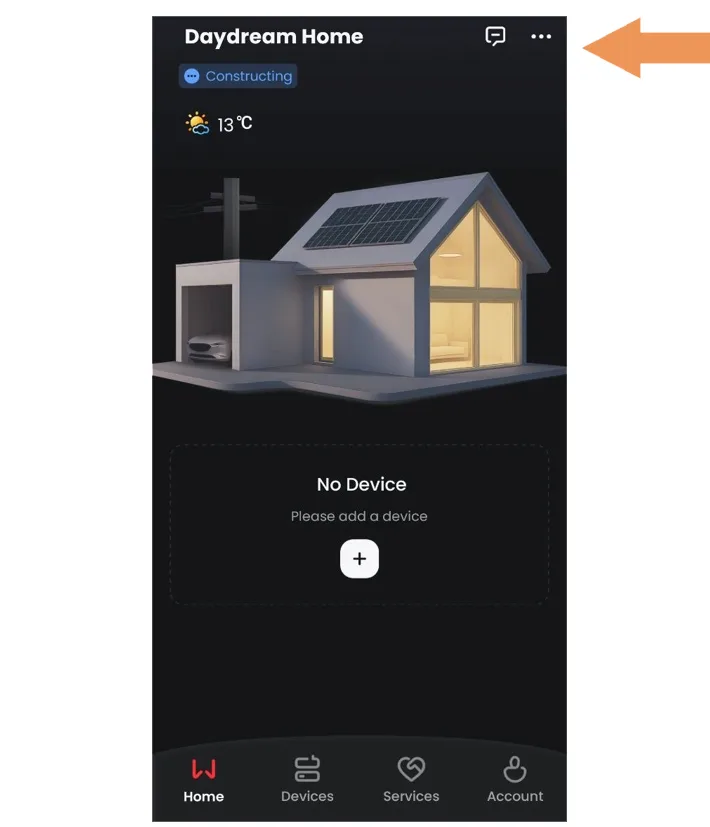
Step 2: In the GoodWe app, open your system and tap the ••• button, top right.
-
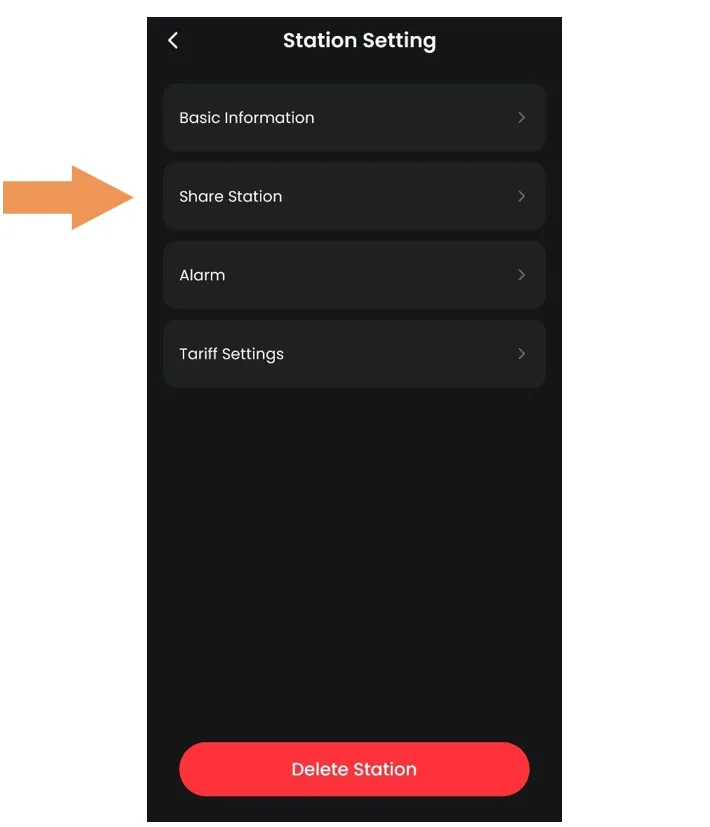
Step 3: Choose Share Station.
-
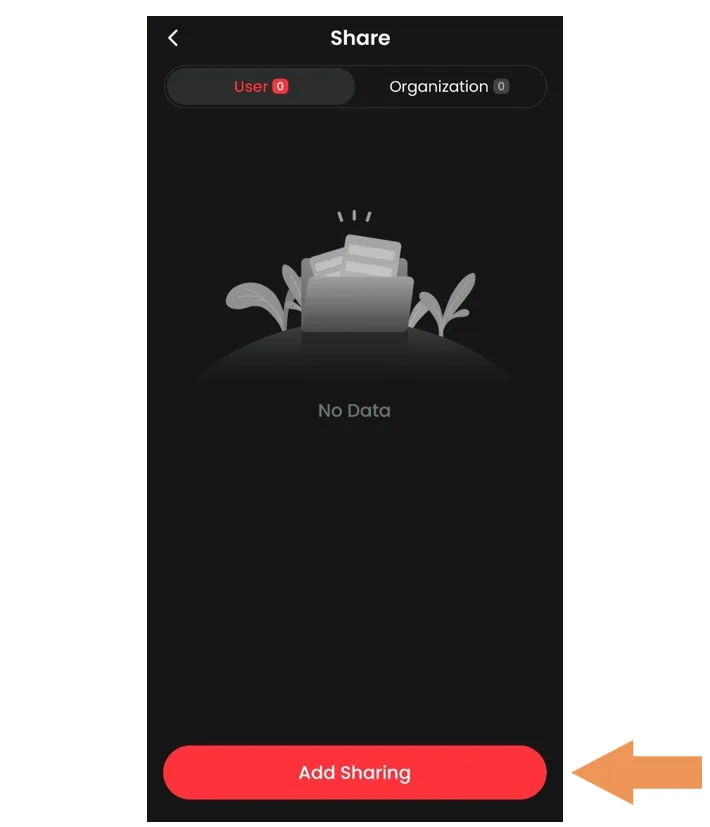
Step 4: Tap Add Sharing.
-
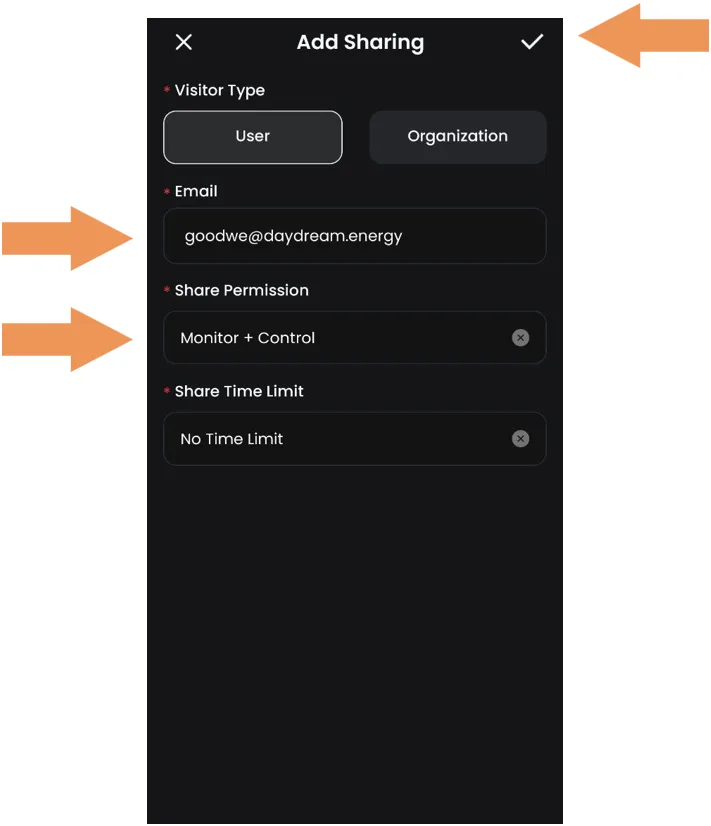
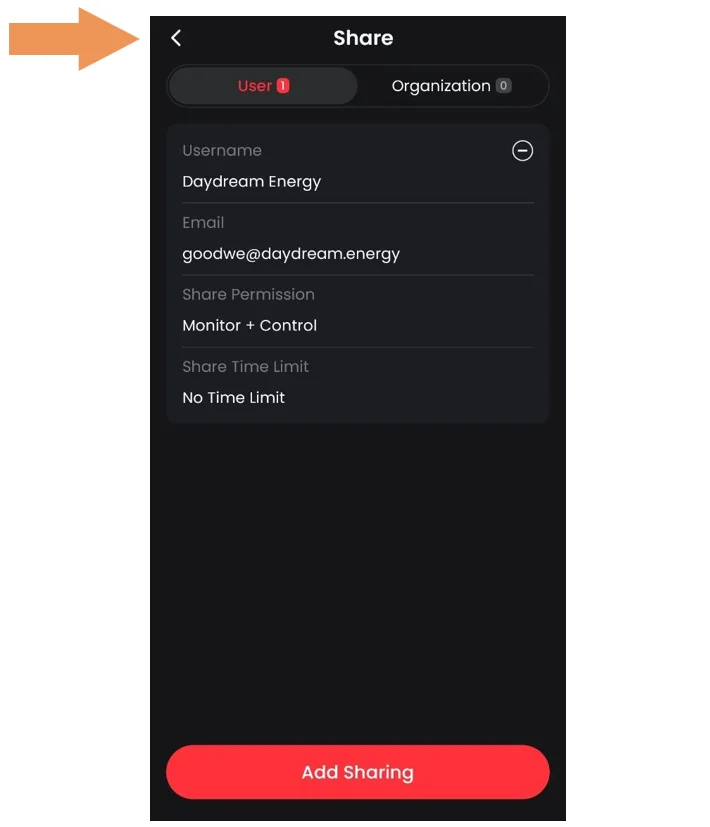
Step 5: Fill in Visitor Type: User. Email: goodwe@daydream.energy. Share Permission: Monitor + Control. Share Time Limit: No Time Limit.
-
Step 6: Tap ✓ to save.
-
Step 7: Back in Daydream, tap I've shared access. We find your battery and confirm it is connected.
Good to know
- Choose Monitor + Control, not Monitor. Monitor on its own lets us read your battery but not act on it, and GoodWe does not tell us which one you picked.
- If you see "We cannot see your battery yet", check the email address is exactly goodwe@daydream.energy.
- GoodWe keeps no history for us, so your Daydream charts start on the day you connect.
- To disconnect fully, also remove the share in your GoodWe app.
Other batteries: Enphase, ESY Sunhome, FoxESS, Growatt, Sigenergy, Sungrow, Tesla